How to Build an App With Cursor (As a Non-Engineer)
Building a swipe-to-decide group meal app from scratch in one afternoon.
A real workflow guide for designers, creators, and non-engineers who want to build a working app using Cursor 3 + Composer 2, without writing a single line of code.
You'll need:
A laptop (Mac or Windows)
A phone
About 4–6 hours of focused time
A Cursor subscription (Pro plan, ~$20/month — needed for Composer 2 + Cloud Agents)
Optional but nice: a Gemini account for image generation (Nano Banana)
You don't need:
Coding experience
Design experience (helpful, not required)
Money for designers, developers, or APIs
The mindset shift
Before tools, before prompts, this is the most important part:
Old mental model: "I have an idea → I describe it to AI → AI builds it."
This is wrong, and this is why most people end up with generic, ugly apps.
Correct mental model: "I am the product manager. AI is the engineer. My job is to write the spec clearly enough that any engineer (human or AI) could build the same thing."
If you skip the spec and just type "build me a Tinder for food," you'll get an app that looks generic and has random behaviors you didn't ask for
Spend 60% of your time on the spec, 30% on assets and visual direction, 10% on actually prompting Cursor. This ratio sounds wrong, but it's correct.
Phase 1: Sharpen the idea (1–2 hours)
Start with the pain point, not the feature. "Tinder for restaurants" is a feature. "8 friends fighting in a group chat for 30 minutes about where to eat" is a pain point.
Stress-test against existing apps. Ask: "Why wouldn't they just use [existing app]?" If the answer is "mine is prettier" — pivot or kill it.
Real example: original idea was "swipe meals, then order on Uber Eats." When stress-tested with "how is this different from Uber Eats?" — there was no good answer. Pivoted to "swipe restaurants as a group" — different problem Uber Eats doesn't solve.
Define the smallest version that proves it. For a demo or video, you don't need a real backend, real users, real multiplayer, or auth. You need a flow that LOOKS real, enough fake data for predictable demos, and one "wow" moment per screen.
The meal app shows "8 players joining a room" — only 1 is real (you). Other 7 are hardcoded names that pop in on a timer. Looks multiplayer on video. Build complexity stays low.
By end of phase 1, write down in plain English:
Pain point in one sentence
Why it's different from existing apps
Who specifically uses it
Smallest version that proves it
Phase 2: Write the spec doc (1–2 hours)
This is the doc you'll feed to Cursor. The clearer it is, the better the app will be.
Structure:
Product summary (one-liner, pain point, differentiator)
Personas
Screen-by-screen flow
Data architecture (even fake data needs structure)
Edge cases
Tech stack
Out of scope
Success criteria
For each screen, answer:
Purpose (one sentence)
What's on it (list elements)
What user can do
What animations
What triggers next screen
The mock data rule (most important architectural decision):
All fake data lives in ONE file (e.g., lib/mockData.ts). UI components NEVER hardcode mock values. Components consume data through functions like getPlayers(), getRestaurants().
Why: when your demo gets traction and you want to launch for real, you don't rebuild. You replace 5 functions and you're done.
Save the spec as USER_FLOW.md. You'll commit it to GitHub so Cursor reads it during build.
Phase 3: Visual direction + assets (1–2 hours)
This is where most non-engineer apps fail. The flow works, but the app looks generic.
Pick reference apps, not adjectives. Don't say "modern and clean." Say:
"Cron Calendar's typography polish"
"Headspace's warm illustrations"
"Duolingo's bouncy mascots"
Mix references to make your own vibe. Example: "Studio Ghibli soul meets Duolingo playfulness."
Pick exact hex codes, not color names:
Token | Hex | Use |
|---|---|---|
Background |
| Warm cream, not white |
Primary |
| Muted coral, not red |
Success |
| Sage green |
Text |
| Warm cocoa, not black |
Six colors max.
Pick 2 fonts: one display (headings), one body (UI). Both from Google Fonts.
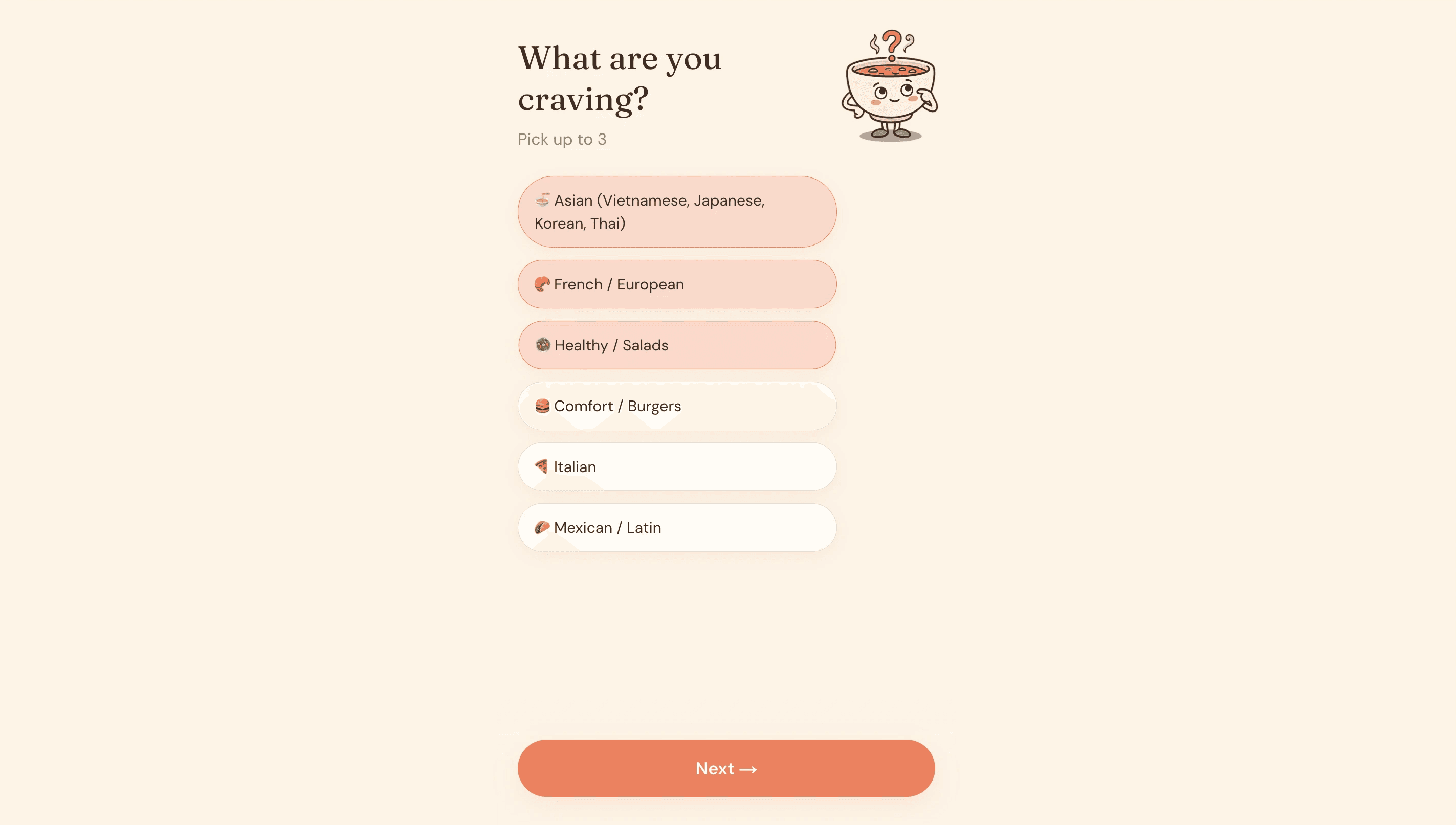
Generate a mascot if it fits. Cheapest way to make an app feel charming. Use Gemini Nano Banana — best for character consistency across multiple poses. Generate 5 poses (waving, thinking, jumping, working, sad). Save as transparent PNGs. Tell Gemini explicitly "transparent background" or you'll get grey rectangles.
Validate vibe BEFORE building. Mockup the landing screen by hand or AI. Look at it on your phone. Ask: "Would I show this to a friend?" If yes, that's your vibe contract. If no, tweak first.
5 minutes here saves 2 hours of rebuild later.
Phase 4: Set up tools (30 min, one-time)
GitHub: create public repo with README + Node .gitignore
Cursor: download from cursor.com, sign in with GitHub, subscribe Pro plan, update to latest, open Agents Window (
Cmd+Shift+P→ "Agents Window")Connect Cursor to repo: Home dropdown → Cursor Cloud → select repo, set Cloud mode + Composer 2 model
Vercel: sign up with GitHub, Hobby plan, don't import yet
Optional: Cursor mobile app (lets you tweak from phone — flagship Cursor 3 feature)
Phase 5: Commit spec + assets (15 min)
On GitHub repo:
"Add file" → "Upload files"
Drag in
USER_FLOW.md→ commitSame for asset files (mascot PNGs etc.) → commit
Files at repo root is fine. Cursor agent finds them either way.
Md Files that I used for this project:
If this helped, the best thank you from you is a follow + share with one designer friend who needs to see it! More breakdowns coming weekly!!!
— Serena